Authenticated Customer-Data Agent
A customer opens your chat, signed out, and types: "Can you show my latest invoice?" A public FAQ bot can't answer that — it doesn't know who's asking. By the end of this page you'll have an agent that verifies the customer mid-chat and then serves their data, and only theirs.
This page is for anyone building a support or account agent that acts on a specific customer's records — orders, invoices, balances, reports. It walks one complete story end to end: the situation, what you build, and what the customer sees. It assumes you've built a basic agent already; if you haven't, start with the canvas and come back.
The situation
Acme Store runs a customer portal. A signed-out visitor named Priya opens the chat and asks to see her latest invoice. Your agent has to do three things, in order: notice it needs to know who Priya is, verify her with a one-time code, and then return her invoice and no one else's.
The agent itself stays generic. It never learns what an invoice is or how a passcode works. All of that domain logic lives in your MCP server — your own code, your own data. Perfox brokers the identity between them.
The pieces
Here's the cast, and where each one is set up:
| Piece | Role | Where it's configured |
|---|---|---|
| Agent | Persona plus model — the conversation | Agent Builder (no code) |
| MCP server | Your business tools and data | Your own server (your code) |
| Auth-context broker | Turns the conversation authenticated | Your MCP calls back (your code) |
| Memory | Remembers the person across conversations | On by default, in the AI Agent's Memory section |
Step 1 — Build the agent (no code)
In Build → Agents, build the agent from Getting Started with two small additions.
First, the Personality. Make the auth expectation explicit so the model behaves well when a tool reports "not logged in":
You are Acme Store's account assistant. For anything about a customer's own orders, invoices, or account, they must be verified first. If a tool says the customer isn't authenticated, ask them to verify with the one-time code — don't guess or invent data.
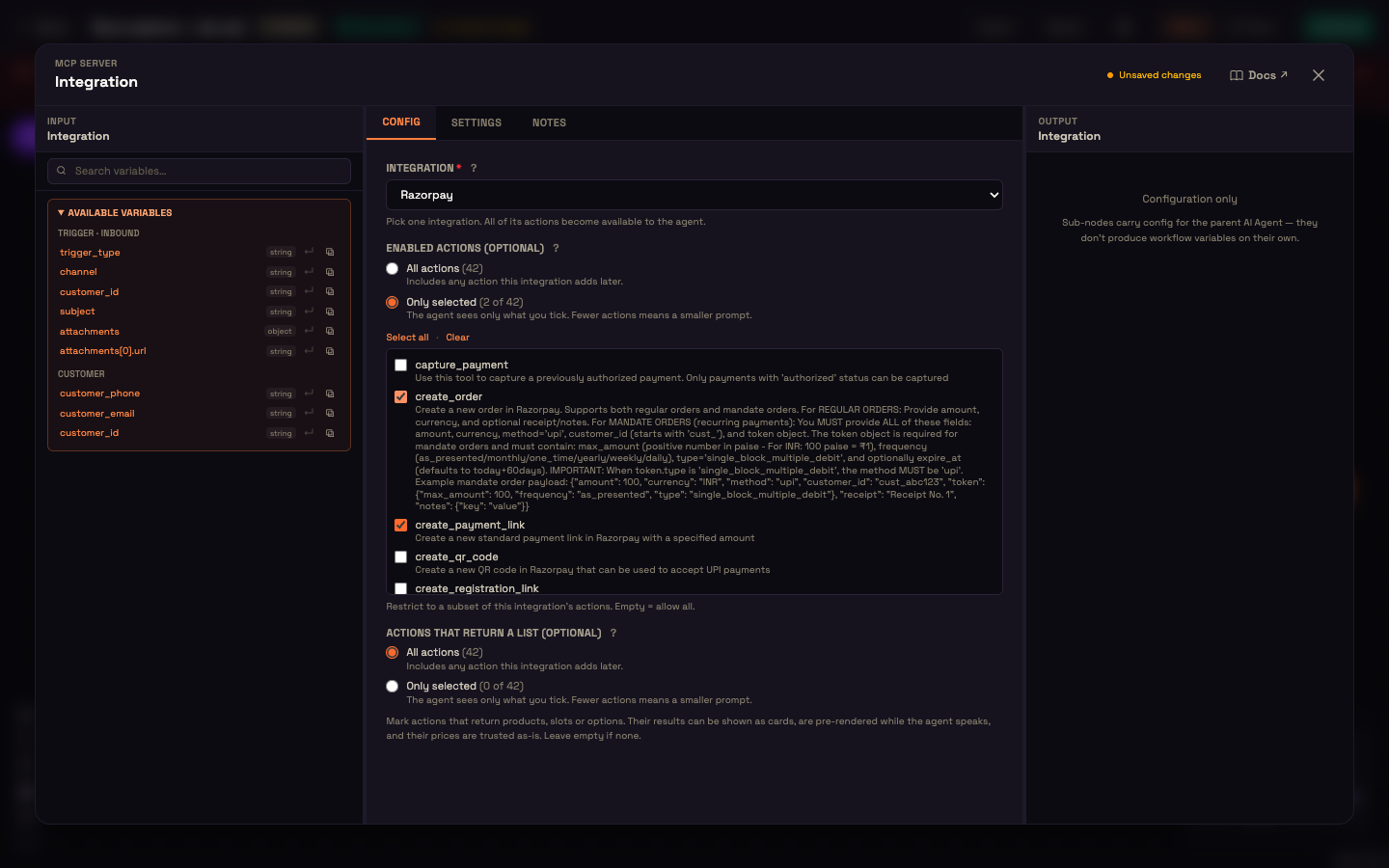
Second, the Integration sub-node. Register your server on Connect → Integrations, then click the + under the AI Agent's Integration port and pick it, so the agent can call your login and data tools.
That's all the agent knows: it has a persona and it has tools. It has no idea what an invoice or a one-time code is.
Step 2 — Add the data tool (your code)
Your server exposes a data tool and a verify tool. Every tool call the agent makes is discovered, input-validated, policy- and rate-limited, cached, credential-injected, invoked, and audited by Perfox before it reaches you — so on each call your server receives the auth headers Perfox sets. The data tool reads that auth state and refuses to return anything until the conversation is verified. The code below runs in your own server — it's illustrative, not Perfox code:
js
// tool call → your data tool, e.g. get_invoice
if (!isAuthenticated(req)) {
  return text("The customer isn't verified yet. Ask them to share their "
             + "registered mobile so we can send a one-time code.");
}
const invoice = await db.invoices.latestFor(customerIdFrom(req));   // your data
return text(JSON.stringify(invoice));
So when Priya asks for her invoice while signed out, the tool doesn't fetch anything — it tells the agent she isn't verified yet and what to ask for.
Step 3 — Authenticate the conversation (the broker callback)
The only authenticated-identity path for your MCP tools is the auth-context broker. Your server calls the per-conversation auth-context endpoint that Perfox hands you — authenticated by the per-conversation signed token or a workspace API key — to set the conversation's auth context. Perfox stores your forward_payload and, from then on, forwards it as auth headers on every later tool call — until its expires_at passes, which stops the replay (it does not sign the person out). Later callbacks are partial updates, so one that omits forward_payload keeps replaying the credential you already sent; when you rotate the credential, restate its expires_at with it. When your verify tool's own check passes, make that single call:
js
// tool call → your verify tool, after YOUR check passes
await fetch(authContextCallbackUrl, {           // per-conversation, provided by the platform
  method: 'POST',
  headers: {
    'authorization': `Bearer ${perConversationToken}`,
    'content-type': 'application/json',
  },
  body: JSON.stringify({
    authenticated: true,
    forward_payload: signAcmeSession(customer.id),  // YOUR signed token, replayed back to you
    user_context: { external_id: customer.id, name: customer.name },
  }),
});
return text('Verified — you can ask about your account now.');
From here on, Perfox replays your forward_payload verbatim as auth headers, so your data tool can check your own signature and resolve the customer. You stay in control of what "verified" means — Perfox just carries your proof forward.
Step 4 — Identity, memory, and continuity
The user_context you set (external_id, name, phone, email) drives identity resolution. Perfox looks the customer up by phone, then email, then WhatsApp before creating a new record, canonicalizing the phone to full international format. So Priya is one customer whether she arrives on web, WhatsApp, phone, or email. Each new channel she uses is added to that same customer's channel list.
Because Priya is now a known customer, the agent's memory can follow her: what she asked about, her preferences, what earlier conversations covered. Her account data itself (invoices, balances) always comes live from your tools, behind your verification, so it's never a stale copy.
The full conversation
Here's the whole exchange Priya sees, from her first question to the invoice:
What Priya sees: she never touched a login page. She typed her mobile number, typed the code she got, and read back a plain answer — "Your latest invoice is INV-20418 for ₹4,200, due 30 Jun. Want the PDF?" The whole verification happened inside the chat.
What just happened: the agent asked the data tool first, got told Priya wasn't verified, ran your one-time-code flow, and — only after your verify tool set the auth context — asked for the invoice again and got a real answer. The agent never saw Priya's records until she was proven to be Priya.
Later the same customer messages Acme Store on WhatsApp from the same number. Perfox recognises her as the same customer and the agent picks up where she left off. Whether her private data is served straight away is still your server's decision: a new conversation starts anonymous, so your tools can ask her to verify again or call the auth-context endpoint as soon as they recognise her.
You can now
Build an agent that verifies a customer mid-chat and then serves their own data securely, across every channel they use. To go deeper:
- Authentication & Auth Broker — the exact callback contract your verify tool uses to set the auth context.
- Building Your Own MCP Server — how to write the data and verify tools you attached here.
- Agent Memory — what your agent remembers about a customer across conversations.
- Channels Overview — how the same customer stays one identity across web, WhatsApp, phone, and email.
- Connect an MCP Server (HR Assistant) — a second worked example of wiring your tools to an agent.