Condition (IF/ELSE)
Your workflow just got an answer from an AI agent. Now what? The Condition (IF/ELSE) node is where you steer: send an escalated conversation to a person, fan out by channel, repeat steps for every item in a list, or pause until something happens. It doesn't make business decisions. It routes between stages based on signals those stages have already produced.
This page assumes you have an AI Agent on the canvas. You'll find the Condition node under Core in the node picker, and you can also use it inside an agent's Steps.
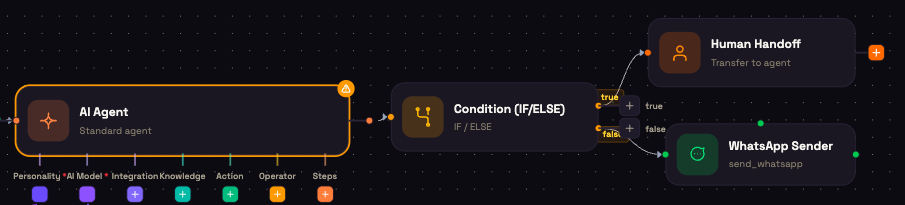
Logic types
Open the node and pick a Logic Type. The fields below it change to match:
| Logic Type | What it does | Outputs on the canvas |
|---|---|---|
| If / Else | Evaluates one condition. | true and false |
| Switch (N cases) | Compares one value against a list of cases. | One output per case, plus default |
| Loop | Runs the next steps once per item in a list. | loop (each item) and done |
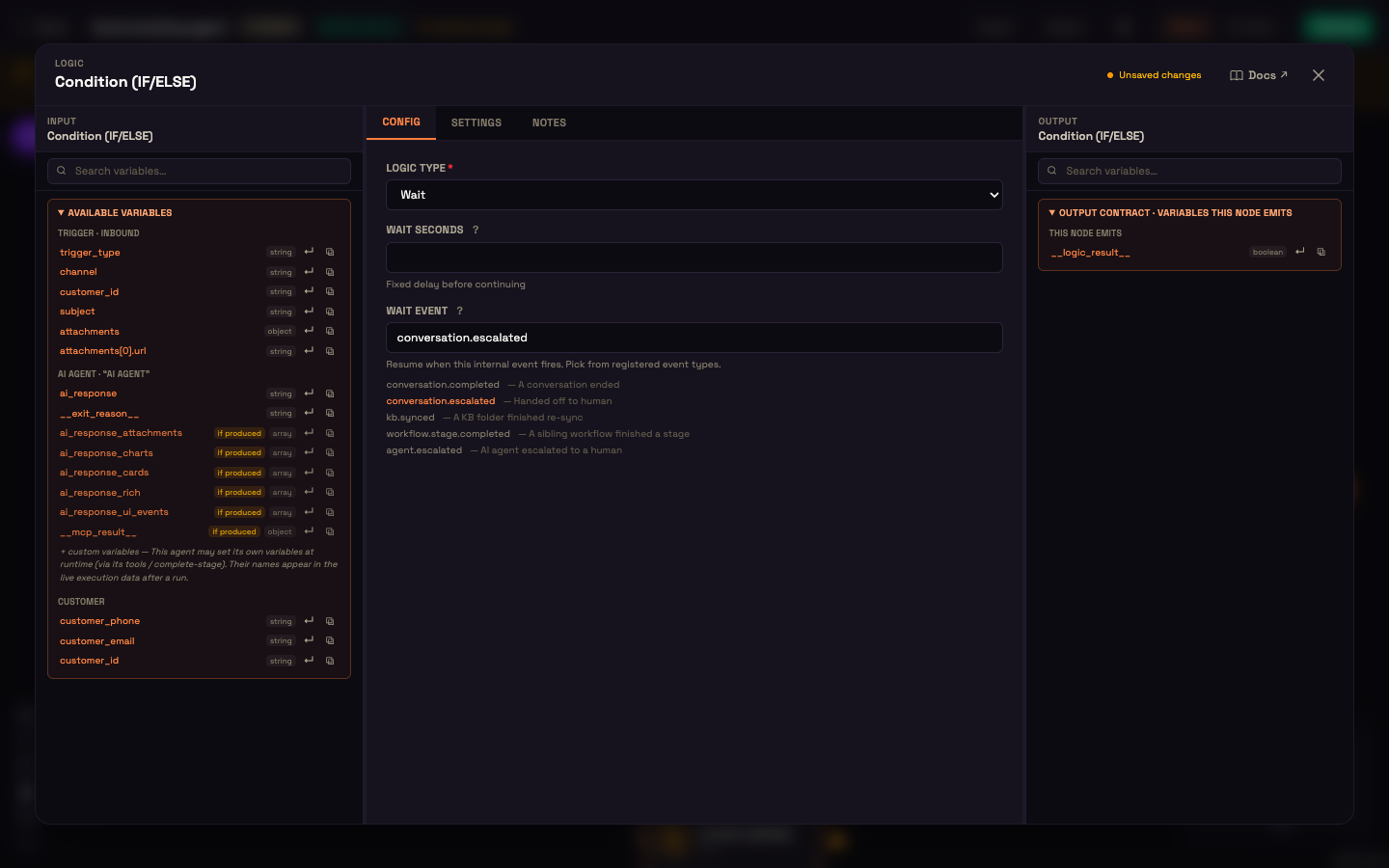
| Wait | Pauses the run for a set time, or until an event fires. | Continues on its single output |
Each output shows a + on the canvas. Click it to add the node that should run on that branch.
If / Else: branch on one condition
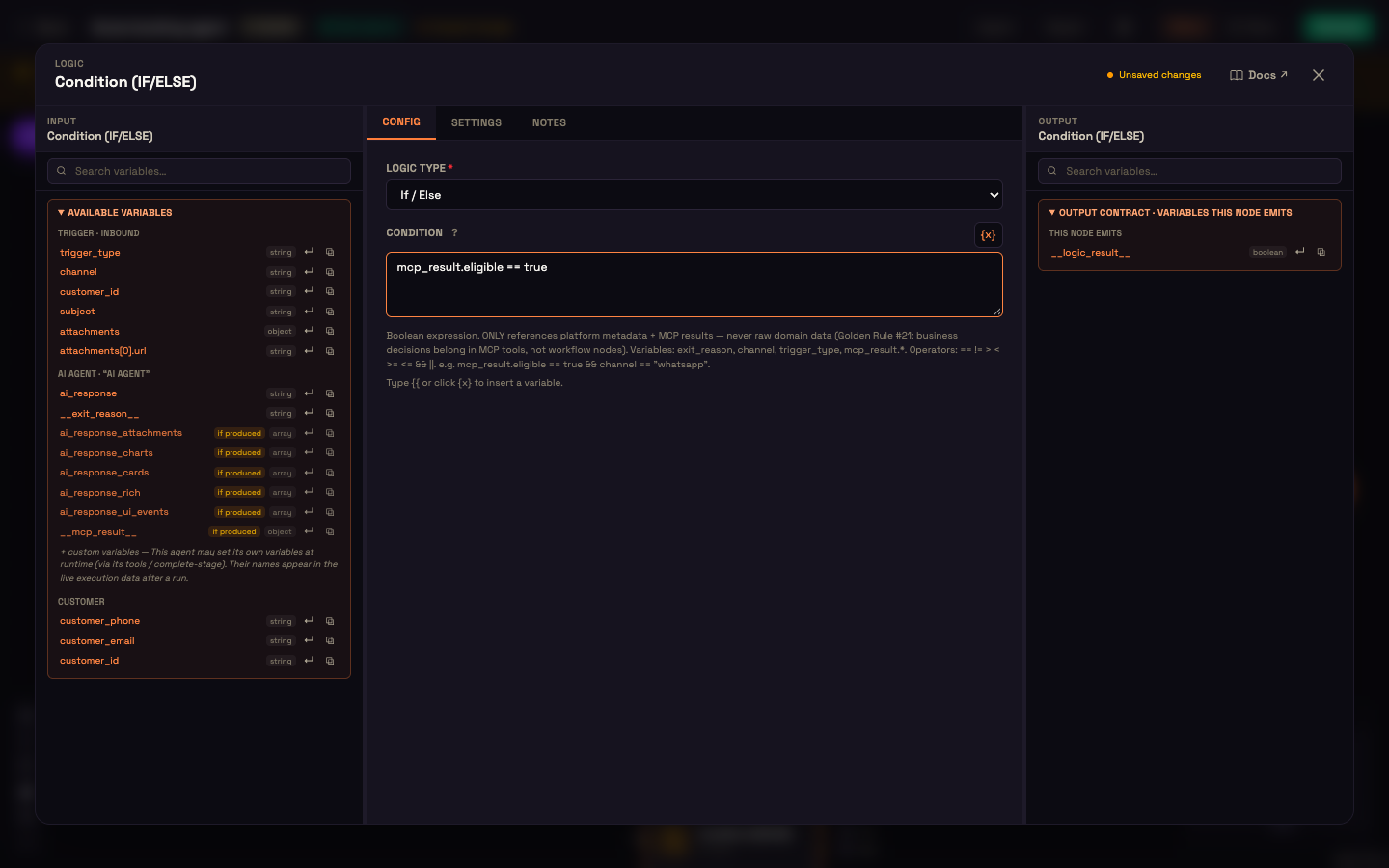
Type a Condition such as exit_reason == "escalated" or mcp_result.eligible == true. Click {x} (or type {{) to insert a variable. The true output runs when the condition holds; false runs otherwise.
Operators: == != > < >= <= && ||.
Switch: branch on many values
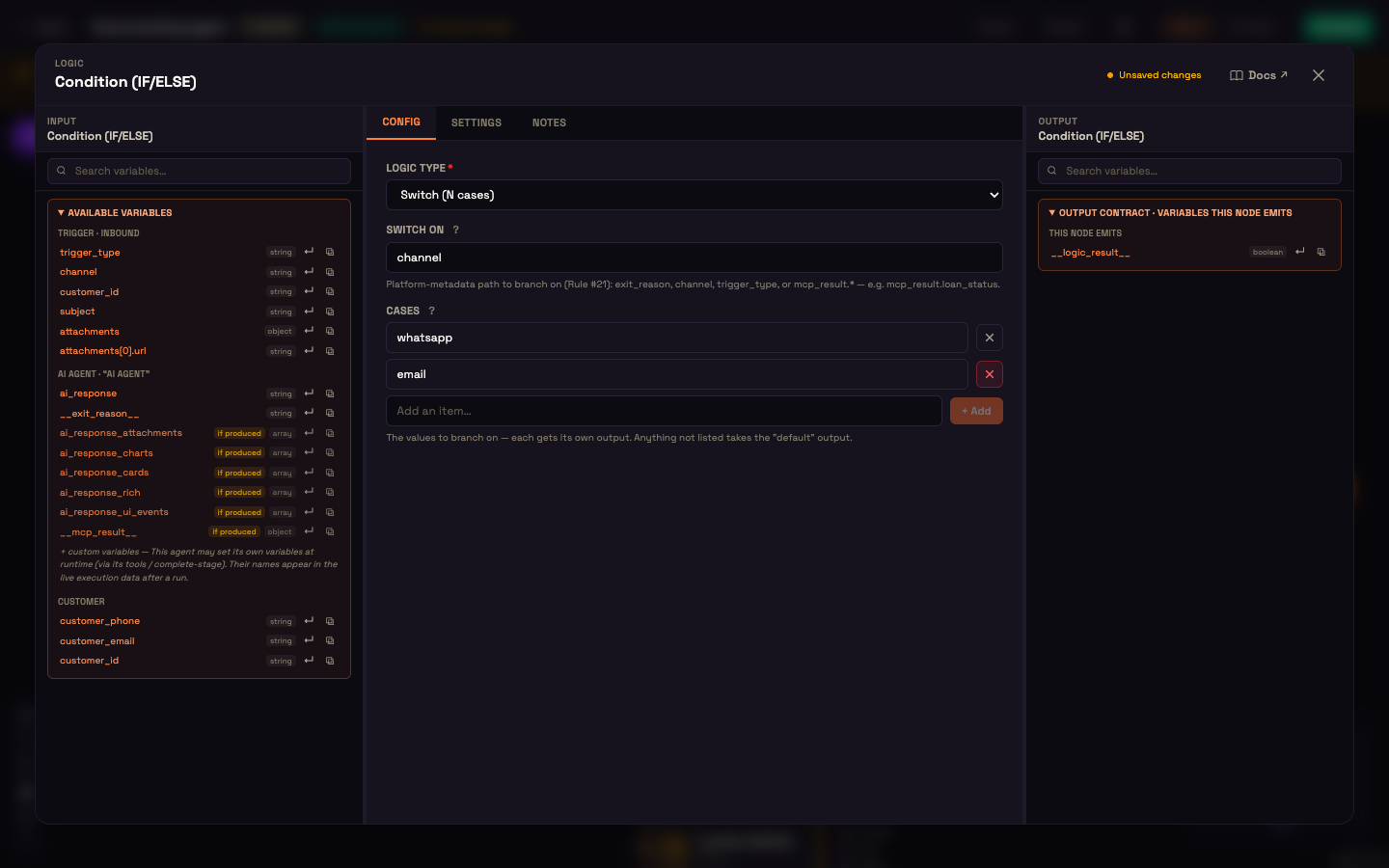
Set Switch on to the value to compare, for example channel or mcp_result.order_status. Then add each value you want to handle under Cases (type it and click + Add). Every case gets its own output on the canvas. Any value you didn't list goes to the default output.
Loop: repeat for every item
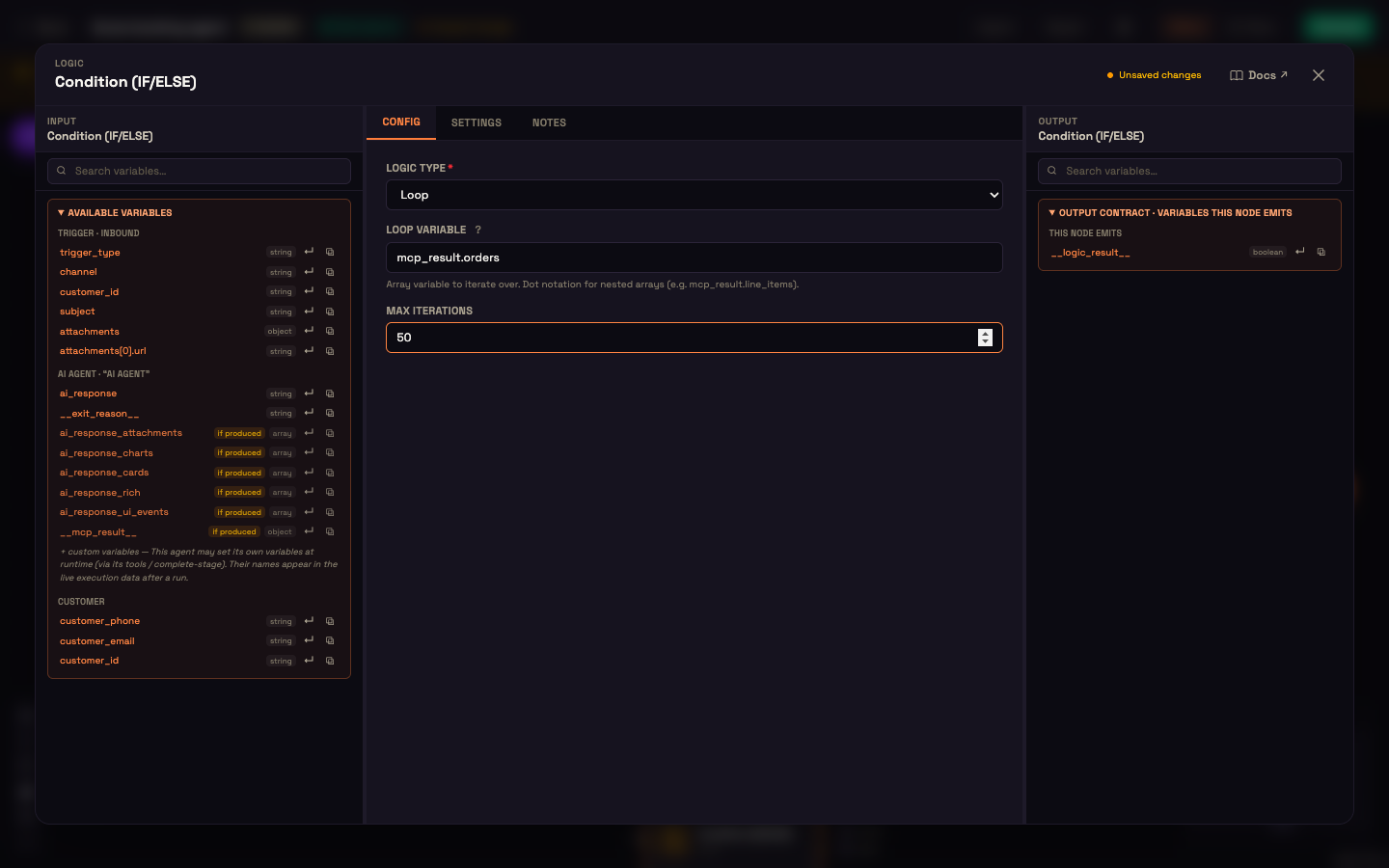
Set Loop Variable to a list, usually one returned by a tool, for example mcp_result.orders. The steps on the loop output run once for each item. Inside them, the current item is available as {{ loop_item }} and its position as {{ loop_index }}. Wire the last step of the loop back into the Condition node so the next item runs. When every item has been handled, the run continues on the done output. Always connect done: a Loop without it never exits, and Activate warns you about it.
Max Iterations applies when the Loop Variable isn't a list. The node then repeats a fixed number of times (10 if you leave it empty). When the variable is a list, the loop runs once per item.
Wait: pause, then resume
Fill in one of two fields:
| Field | The run resumes when |
|---|---|
| Wait Seconds | That many seconds have passed. |
| Wait Event | The event you pick fires. Choose from the list under the field: a conversation ends, a conversation is handed to a person, a Knowledge Base folder finishes syncing, another workflow finishes a stage, or an AI agent escalates to a person. |
If you fill in both, Wait Seconds wins. A long wait doesn't hold anything open: the run is saved and picked up again when the time is up or the event arrives, even days later.
Branch on signals, not business values
A Condition's Condition (If / Else) and Switch on (Switch) fields can only read these values:
| Value | What it holds |
|---|---|
exit_reason | How the previous step finished, for example escalated from an agent, human_timeout from a Human Handoff, or tool_step_error from a Tool step. |
channel | The channel the conversation is on: web, whatsapp, sms, email, phone. |
trigger_type | What started the run, for example inbound_message, webhook or schedule. |
mcp_result.* | A field from the last result your agent got from one of your connected integrations. |
If a condition reads anything else, such as a raw amount or a status field copied from your data, Activate refuses the workflow and tells you why. Business decisions belong inside your integration: have its tool return a decision (for example { "eligible": true }) and branch on that.
Worked example: an eligibility check
Setup: Asha at Acme Diagnostics builds a booking agent. The agent collects a patient's date of birth and calls an integration tool named check_eligibility, which applies Acme's age rules and returns { "eligible": true } or { "eligible": false }.
Action: Asha adds a Condition after the agent, sets Logic Type to If / Else, and enters mcp_result.eligible == true. The true output leads to the booking steps. The false output leads to an agent that explains the requirement.
Result: When Priya gives her date of birth, the tool runs, the Condition reads mcp_result.eligible, and Priya lands on the right path.
What just happened: The Condition only ever saw a yes/no answer. The age rule lives in the tool, so when Acme changes it, Asha updates the tool and the workflow stays as it is.
See Agents and MCP for why business rules belong in your integrations.
Safe expressions
Conditions are evaluated by the same safe expression engine that fills in your {{ }} templates. It can compare values and combine them with && and ||, but it never runs code.
Next steps
- Human Handoff: the node on the true branch in the picture above.
- Sender Nodes: send a message on the branch you choose.
- Steps (Agent Process): use a Condition inside an agent's step-by-step process.