Collect Info
Priya messages Acme Diagnostics to book a home sample collection. Before anything can be booked, the workflow needs her PIN code and city. The Collect Info node is the step that gathers them: it asks the customer for each field you list and the flow doesn't move on until the required ones are filled.
You'll find it under Data in the node picker. It works as a step on the canvas and as a step inside an agent's Steps.
When to use it
- The next step genuinely needs certain values: a PIN code before a serviceability check, an email before sending a quote.
- You want the questions asked as a dedicated step, separate from the agent's open conversation.
- You want the values available to every later step as
{{ field_name }}.
If you'd rather have the agent gather details naturally while it chats, use the AI Agent's inline Information to collect list instead. See Relationship to the AI Agent's inline list.
Fields to collect
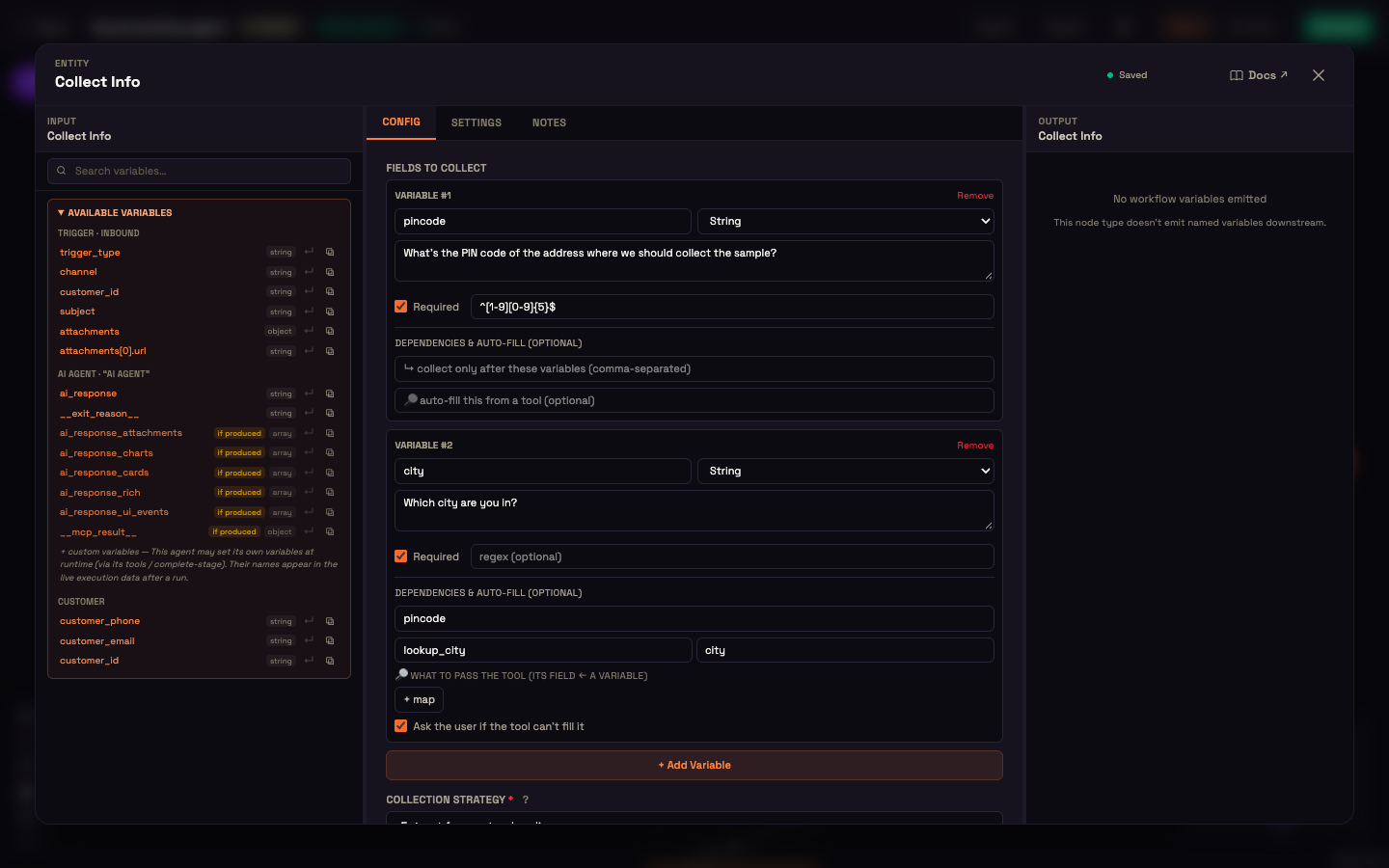
Click + Add Variable once for each value you need. Each variable has:
| Setting | What it does |
|---|---|
| Name | The key the value is saved under, for example pincode. Later steps read it as {{ pincode }}. |
| Type | The kind of value (see the table below). |
| Prompt | The question to ask, for example What's the PIN code of the address where we should collect the sample? |
| Required | When ticked, the step doesn't finish until this field has a value. |
| regex (optional) | A pattern the value must match, for example ^[1-9][0-9]{5}$ for a 6-digit PIN code. |
| Enum values | Shown when Type is Enum: the allowed choices, separated by commas. |
Types
| Type | Use it for |
|---|---|
| String | Free text: a name, an address line, a note. |
| Number | A quantity, an amount, an age. The answer is saved as a number. |
| Boolean | A yes/no answer: consent, an opt-in. Replies like yes or true are saved as yes. |
| Date | A booking day, a date of birth. |
| Enum | One option from a fixed list you define. |
| Phone | A phone number. |
| An email address. | |
| PAN | An Indian Permanent Account Number. |
| Aadhaar | An Indian Aadhaar number. |
The type and any pattern tell the agent what a valid answer looks like, so it asks again when a reply doesn't fit.
Collection strategy and confirmation
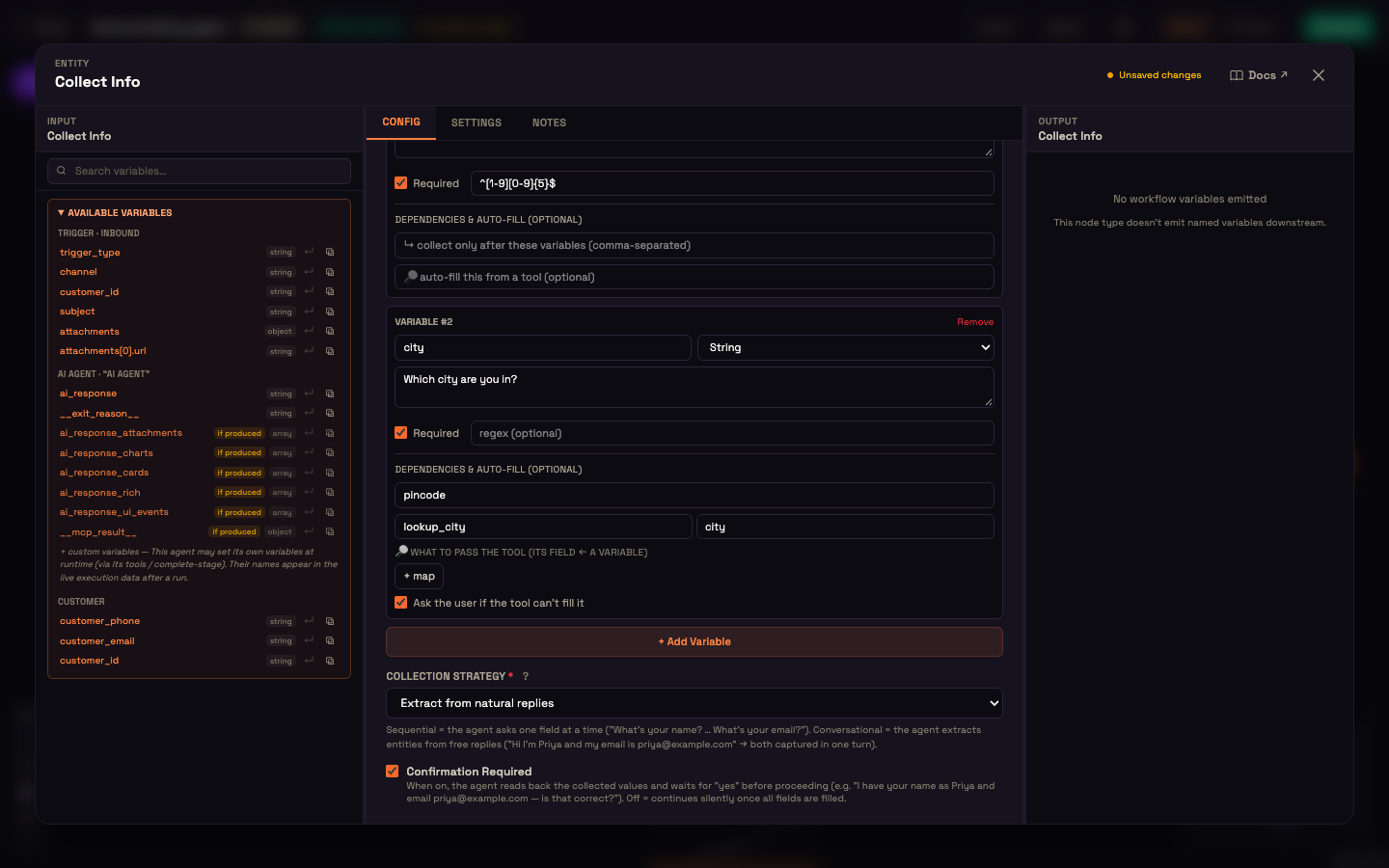
| Collection Strategy | How it feels |
|---|---|
| Ask one field at a time | The agent asks for each field in your listed order and doesn't move to the next until the current one is answered. Good for structured intake. |
| Extract from natural replies | The agent pulls every field it can from what the customer says and only asks for what's still missing. Good for friendly, low-friction chats. |
With Extract from natural replies, if Priya writes "I'm in Pune, PIN 411001", both fields are captured from that one message.
Tick Confirmation Required to have the agent read the collected values back and wait for a yes before the flow continues. Use it for anything you don't want to get wrong, such as an address a collector will visit.
TIP
Set Confirmation Required explicitly, ticked or unticked. A new Collect Info node shows it as Required until you choose.
Where the values go
When the step finishes, every collected field is available to later steps as {{ field_name }}. The values are also saved to the conversation's customer details, so they're passed along to your connected integrations with each request.
Worked example: booking intake at Acme Diagnostics
Setup. Asha adds a Collect Info step to her booking agent's Steps with two fields: pincode (String, required, pattern ^[1-9][0-9]{5}$) and city (String, required). She picks Extract from natural replies and ticks Confirmation Required.
Action. Priya writes: "Can someone collect a blood sample from home? I'm in Pune." The agent captures city = Pune and asks for the PIN code. Priya replies "411001". The agent reads back: "Pune, PIN 411001. Is that right?" Priya says yes.
Result. The next step, a serviceability check, receives {{ pincode }} and {{ city }}.
What just happened. The Collect Info step asked only for what was missing, checked the PIN code's format, and confirmed before moving on.
Relationship to the AI Agent's inline list
There are two ways to collect typed fields, and they use the same field editor:
- The Collect Info node: a separate step on the canvas, with a Collection Strategy and Confirmation Required.
- The AI Agent's inline Information to collect list, set on the AI Agent node: the agent gathers the fields during its normal conversation. That list also supports filling a field from one of your integration's tools instead of asking for it.
The field editor on Collect Info also shows Dependencies & auto-fill boxes. Those settings take effect on the AI Agent's inline list. On a Collect Info node, list the fields in the order you want them asked instead.
Next steps
- AI Agent Node: the inline Information to collect list.
- Steps (Agent Process): use Collect Info as one step of a guided process.
- Look up Data: a scratch store for values you need only during one run.