Human Handoff
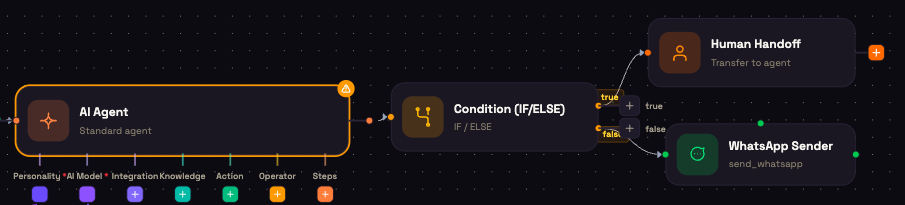
Some steps shouldn't run without a person: a refund over a limit, a policy exception, a case your team wants to see first. The Human Handoff node is a pause point for that. When a run reaches it, the run stops, your team is notified, and nothing after the node happens until the pause ends.
You'll find it under Core in the node picker. You can also add it as a step inside an agent's Steps.
Settings
| Setting | What it controls |
|---|---|
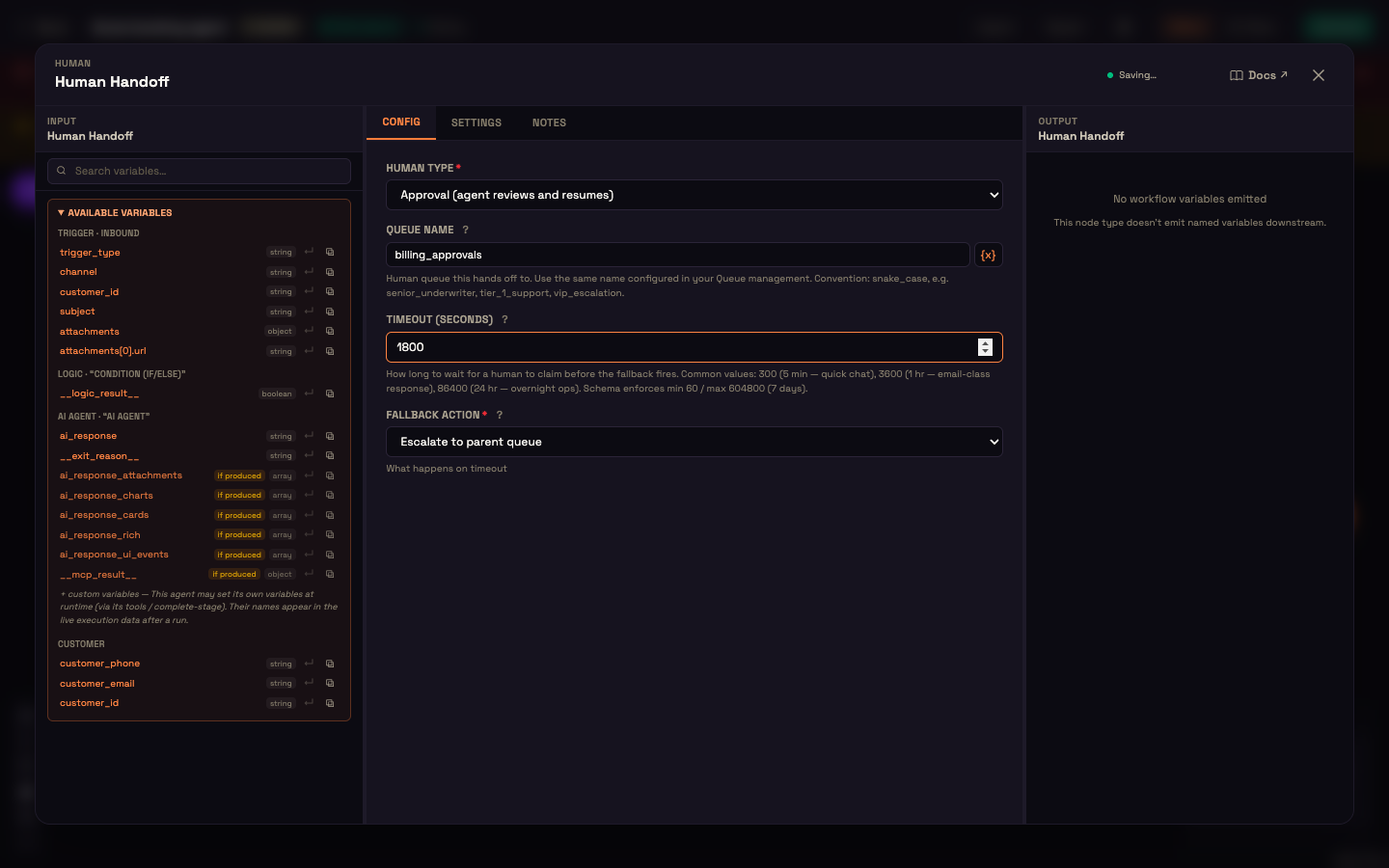
| Human Type | Handoff (agent takes over): a person needs to take the conversation over. Approval (agent reviews and resumes): a person needs to review a step before the flow carries on. The type is recorded on the task your team sees. |
| Queue Name | A label for the team this is meant for, in snake_case, for example billing_approvals or tier_1_support. It appears in the notification. Click {x} to build it from a variable. |
| Timeout (seconds) | How long to wait before the fallback runs. Minimum 60 seconds, maximum 604800 (7 days). Typical values: 300 for a quick chat, 3600 for an email-style reply, 86400 overnight. |
| Fallback Action | What happens when the timeout passes. See below. |
What happens when the node is reached
- The run pauses at the node. Nothing downstream runs yet.
- A notification appears in the Studio notification bell: Workflow handed off to a human, with the queue name. If the run belongs to a conversation, the notification links to it in Conversations.
- The run stays paused until the task is resolved or the timeout passes. Once a minute, Perfox checks for tasks that have passed their timeout and applies the Fallback Action:
| Fallback Action | What happens on timeout | exit_reason for the next step |
|---|---|---|
| Return to AI agent | The run continues to the node after the Human Handoff. | human_timeout |
| End conversation | The run continues to the node after the Human Handoff, flagged as ended. Put your wrap-up steps there. | human_timeout_end |
| Escalate to parent queue | The run stays paused and a louder notification goes out: Human task timed out, needs attention. | (still paused) |
Pick the fallback that matches the stakes. A low-risk review can safely Return to AI agent. A step that must never proceed on its own should Escalate to parent queue.
Branch on the outcome
Add a Condition (IF/ELSE) after the Human Handoff and branch on exit_reason. For example, with Switch on exit_reason and the cases human_timeout and human_timeout_end, each fallback gets its own path.
Worked example: an approval gate at Acme Support
Setup. Asha builds Acme Support's refund workflow. After the agent collects the order details, she adds a Human Handoff with Human Type set to Approval, Queue Name billing_approvals, Timeout 1800 seconds, and Fallback Action set to Escalate to parent queue. A Condition after it switches on exit_reason.
Action. Priya asks for a refund on a large order. The agent gathers the order number and reaches the Human Handoff. The run pauses and a billing_approvals notification appears in Asha's team's notification bell.
Result. If nobody acts within 30 minutes, the run stays paused and a second, louder notification goes out, so the refund is never processed without a person seeing it.
What just happened. The agent handled the routine part of the conversation. The one step Acme's policy says needs a person could not run until the pause ended.
Need a person to take over a live chat or call?
The Human Handoff node pauses a workflow run. To hand a live conversation to one of your people, or transfer a live phone call to a number, add the Hand off to Human action to your AI Agent instead. See AI Agent Node.
Next steps
- Condition (IF/ELSE): branch on how the pause ended.
- Steps (Agent Process): add a Human Handoff inside an agent's step-by-step process.
- Conversations: where the notification's link takes your team.