Look up Data
Say your workflow works out a quoted price early on and a later step needs that exact figure, without calling a tool again. The Look up Data node is a scratchpad for that: a place to write values during a run and read them back a few steps later.
You'll find it under Data in the node picker.
A scratchpad for one run, not storage
Everything written with Look up Data belongs to one run of the workflow. The next run, and the next conversation, start with an empty scratchpad.
| You want to keep... | Where it belongs |
|---|---|
| A value only for the rest of this run | Look up Data (this node) |
| Orders, bookings, account details and other business records | Your own systems, reached through your connected integrations |
| A file or feed your agents should be able to search later | A Knowledge Base folder (see KB Index) |
Settings
| Setting | Shown for | What it controls |
|---|---|---|
| Operation | always | Read, Write, Update or Delete. |
| Collection | always | A name for a shelf on the scratchpad, for example quotes. Use the same name in every Look up Data step that should see the same values. |
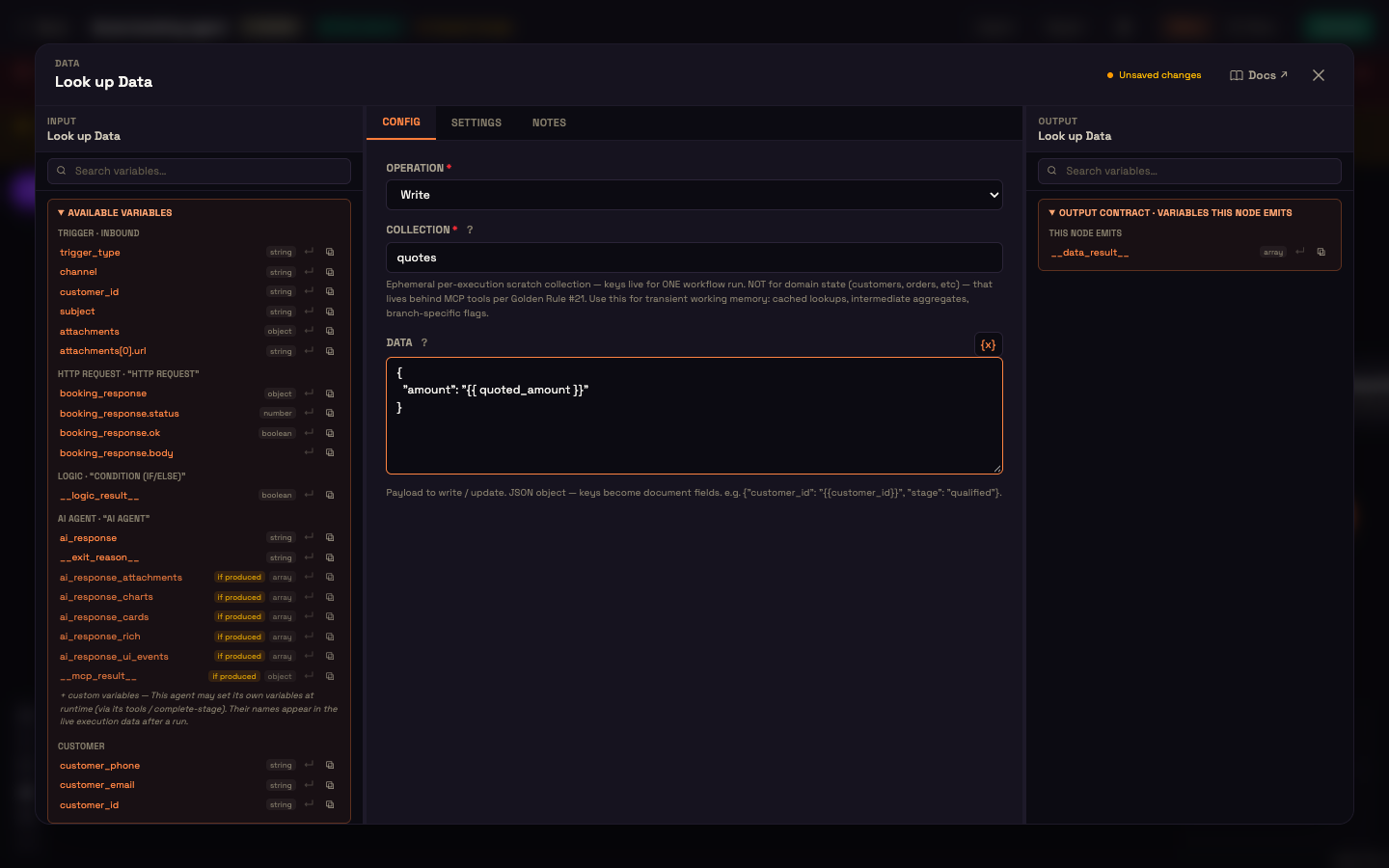
| Data | Write, Update | A JSON object to store. Its keys become fields. Values can use {{ variables }}. |
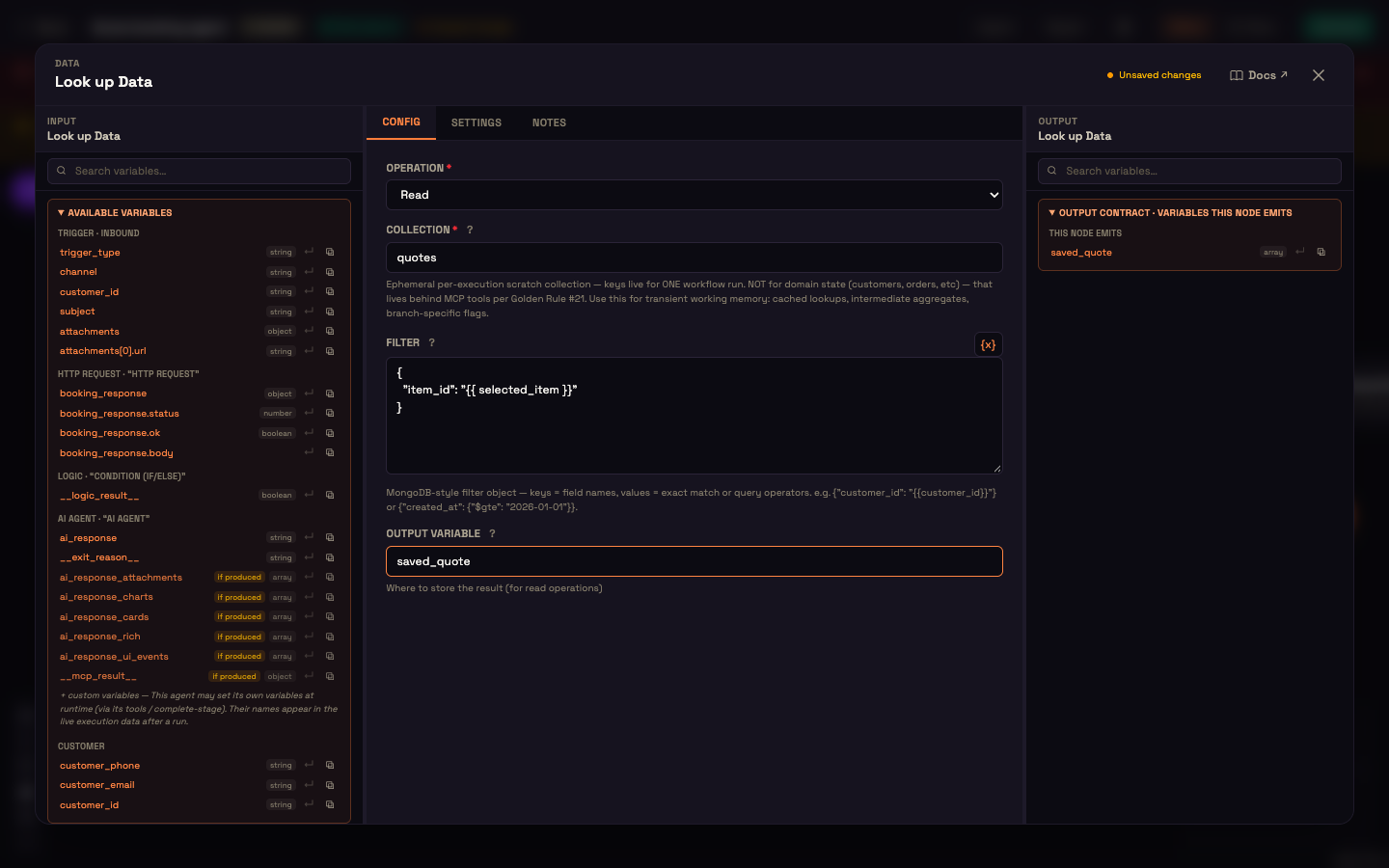
| Filter | Read | A JSON object that picks which rows to return, for example { "item_id": "{{ selected_item }}" }. Leave it empty to return every row on the shelf. |
| Output Variable | Read | The name later steps use to read the result, for example saved_quote. |
What each operation does:
| Operation | Effect | What later steps get |
|---|---|---|
| Read | Returns up to 100 rows from the shelf that match the Filter. | The rows, as a list, under your Output Variable. |
| Write | Adds one row built from Data. | The new row's id, under {{ data_result }}. |
| Update | Applies Data to every row on the shelf. | How many rows matched and changed. |
| Delete | Removes every row on the shelf. | How many rows were removed. |
If a step fails, the run continues and the error is available as {{ __data_result___error }} (or {{ your_output_variable_error }}), so a later step can react.
Worked example: stash a price, use it later
Setup. Asha at Acme Diagnostics has a workflow where an earlier step produces {{ quoted_amount }} for Priya's test package. Three steps later, a message needs to repeat that amount.
Step A (Write). Right after the quote, Asha adds Look up Data with Operation Write, Collection quotes and Data { "amount": "{{ quoted_amount }}" }.
Step B (Read). Before the message, she adds another Look up Data with Operation Read, Collection quotes, and Output Variable saved_quote. She can add a Filter to pick one row when there are several.
Result. The message step reads the amount as {{ saved_quote[0].amount }} (the first row's amount). Nothing was recalculated and no extra call went out.
What just happened. The two steps aren't wired to each other directly. They share the shelf name quotes, and the Read step hands what it found to the steps after it.
Next steps
- Collect Info: ask the customer for values instead of storing your own.
- HTTP Request: fetch a value from another system mid-run.
- Sender Nodes: send a message that uses the stored value.