Channel Overview
Perfox agents work across web chat, browser voice, phone calls, WhatsApp, SMS and email. This page is the short answer to "what can I connect today, and what do I need for each channel". Read it before you plan an integration around a particular vendor.
What you can connect
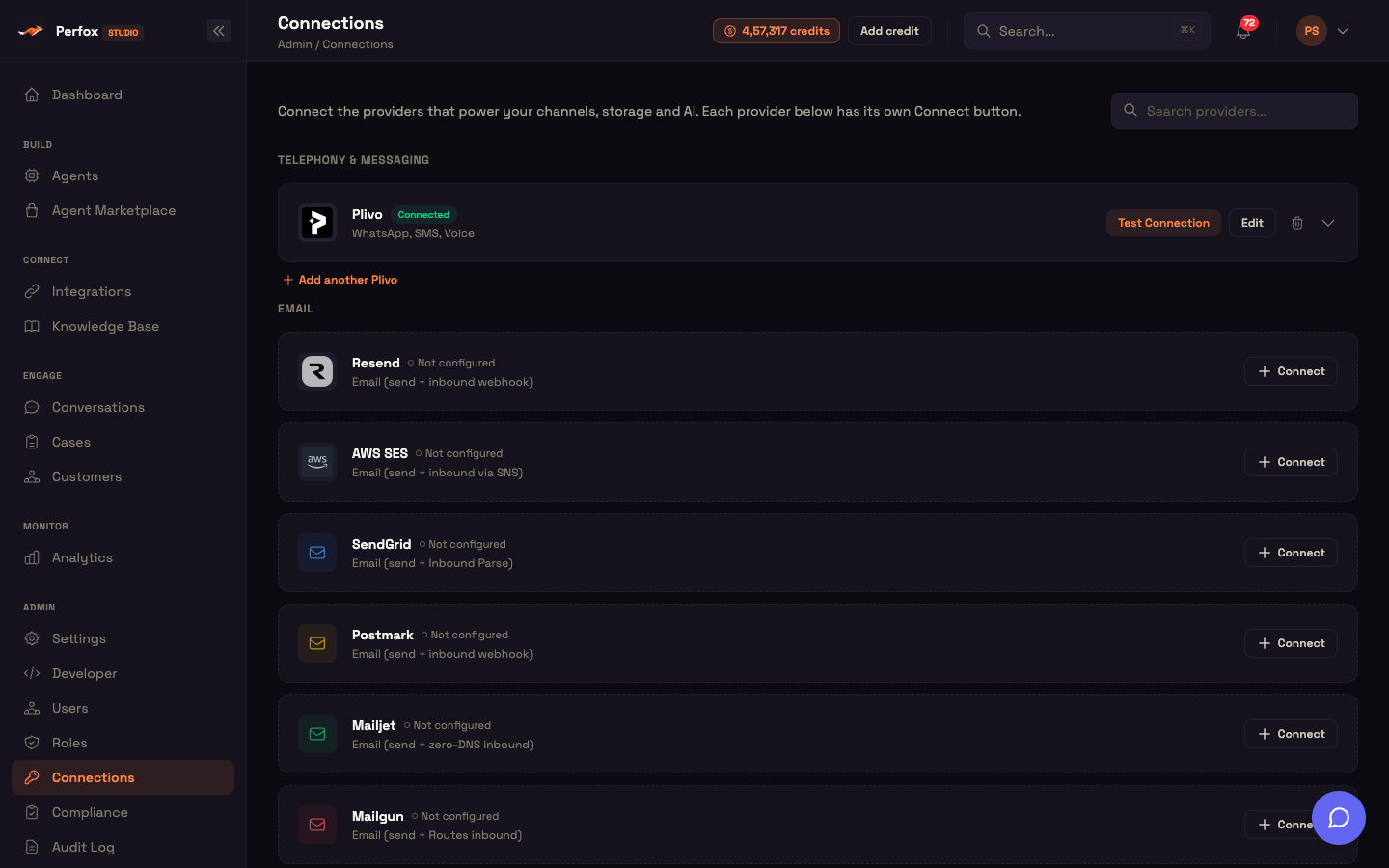
You connect channel providers yourself on Admin → Connections. This is what the page offers today:
| Channel | Provider on the Connections page | Notes |
|---|---|---|
| Phone calls (inbound and outbound) | Plivo | One Plivo connection covers voice, SMS and WhatsApp |
| SMS | Plivo | India DLT fields live on the same connection |
| Plivo | Send and receive through Plivo as your WhatsApp provider | |
| Resend, AWS SES, SendGrid, Postmark, Mailjet, Mailgun, Gmail / Google Workspace, SMTP / IMAP, Microsoft 365 (Email) | Nine providers. Each card says how it receives mail | |
| Web chat and browser voice | Nothing to connect | Perfox manages them. Turn them on in the Web Chat trigger |
You don't connect the AI and voice models (Gemini, OpenAI, Sarvam, ElevenLabs) on this page. You pick them for each agent on its AI Model sub-node, and they work with no extra setup. See Voice Providers.
Not on the Connections page
A direct Meta WhatsApp Cloud API connection isn't self-serve. If you need it, raise a ticket in the Support Center. The page doesn't offer Twilio or Exotel either, and neither can carry traffic.
Replying: which channels need a Sender
A channel trigger lets a message start your agent. On three channels, sending the reply is a separate choice:
| Channel | How the reply reaches the customer |
|---|---|
| Web chat, browser voice, phone calls | Inline, over the widget or the call itself. You need nothing extra |
| Email, SMS, WhatsApp | Only when an Email Sender, SMS Sender or WhatsApp Sender action is connected to the AI Agent's Action port |
If an email, SMS or WhatsApp agent has no matching Sender, the inbound message is trigger-only. The agent runs and you can read its answer in Conversations, but nothing goes back to the customer, and that message is marked as not delivered. This is on purpose, because some agents only take messages in. Perfox shows it as a publish warning, not an error. It is also the most common reason a new agent seems to "do nothing".
Every Sender asks for the same things: an Instruction that tells the AI when to use it, a Send from number or address from your Connections (you can't publish without it), Send to, and What to send. The details are on Sender Nodes.
Bridging a gateway of your own
You can also connect a gateway of your own through the Webhook trigger. That works, but you have to map the caller's identity before it behaves like a real channel, because a plain webhook run has no end user attached.