Email
At 2 a.m. a customer emails your support address: "Where's my order #4821?" Instead of sitting in a queue until morning, the message goes to your agent. It reads the email, finds the answer and replies in the same thread, the way a colleague would.
This page shows how to turn email on. You connect your own email provider, point an agent's Email trigger at your support address, and give the agent an Email Sender so it can reply.
Pick your email provider
Open Admin → Connections. The Email section lists nine providers. Every one of them can send, receive and thread replies. They differ only in how incoming mail reaches Perfox:
| Provider | How incoming mail arrives |
|---|---|
| Resend, Postmark | The provider posts each message to your inbound webhook |
| SendGrid | SendGrid Inbound Parse |
| Mailjet | Mailjet's zero-DNS inbound |
| Mailgun | Mailgun Routes |
| AWS SES | SES receipt rule → SNS notification (a receiving pipeline that Perfox manages) |
| Gmail / Google Workspace | Perfox reads the mailbox over IMAP |
| SMTP / IMAP | Any mailbox: SMTP to send, IMAP to receive |
| Microsoft 365 (Email) | Microsoft Graph (Mail.Send + Mail.Read), app-only or signed in as a user |
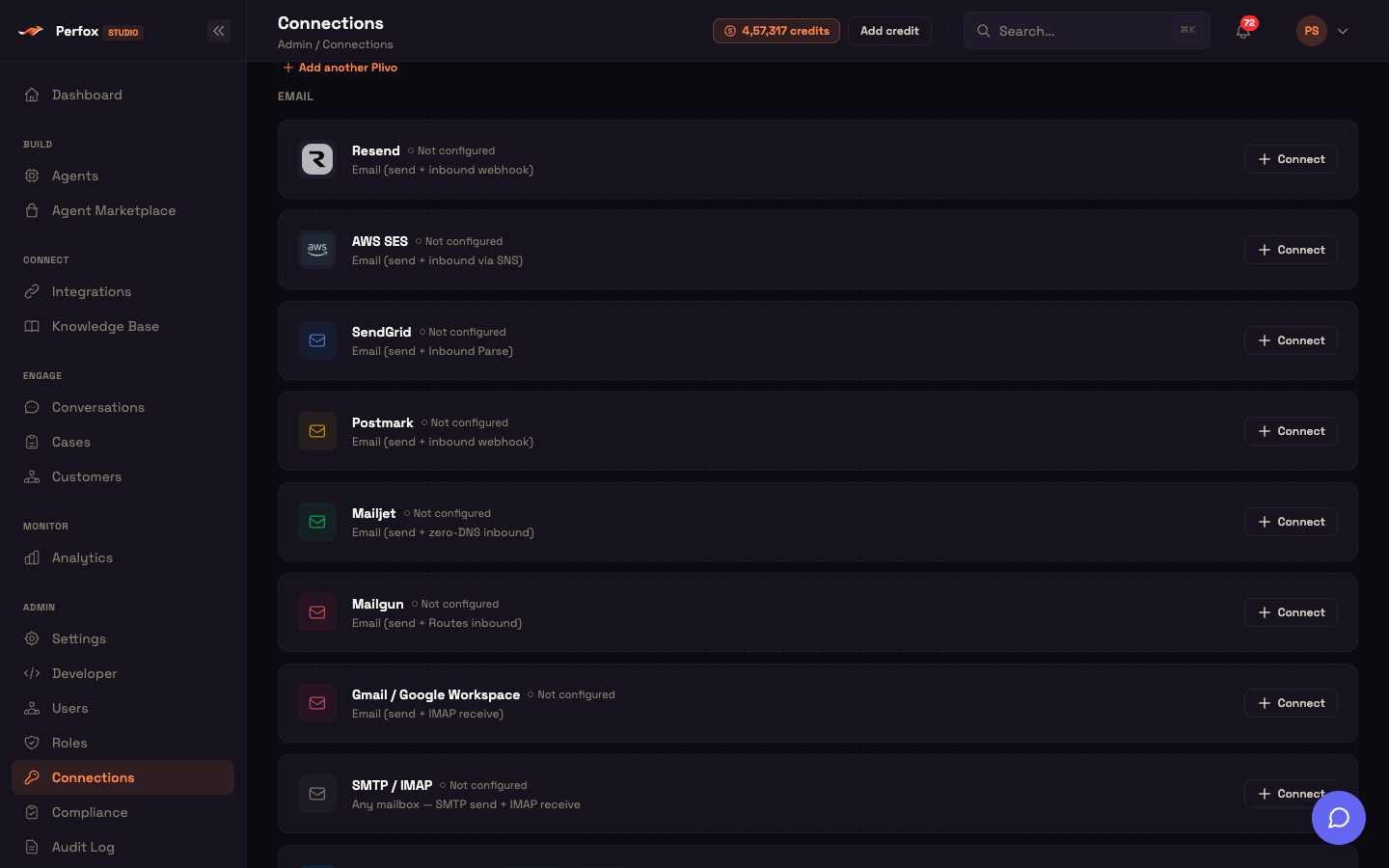
Click Connect on the one you use and fill in its form. The field-by-field setup for each provider is in Email Providers, and the AWS domain walkthrough is in AWS SES Setup.
Point an agent at your address
- Open Agents, create an agent and add an Email trigger.
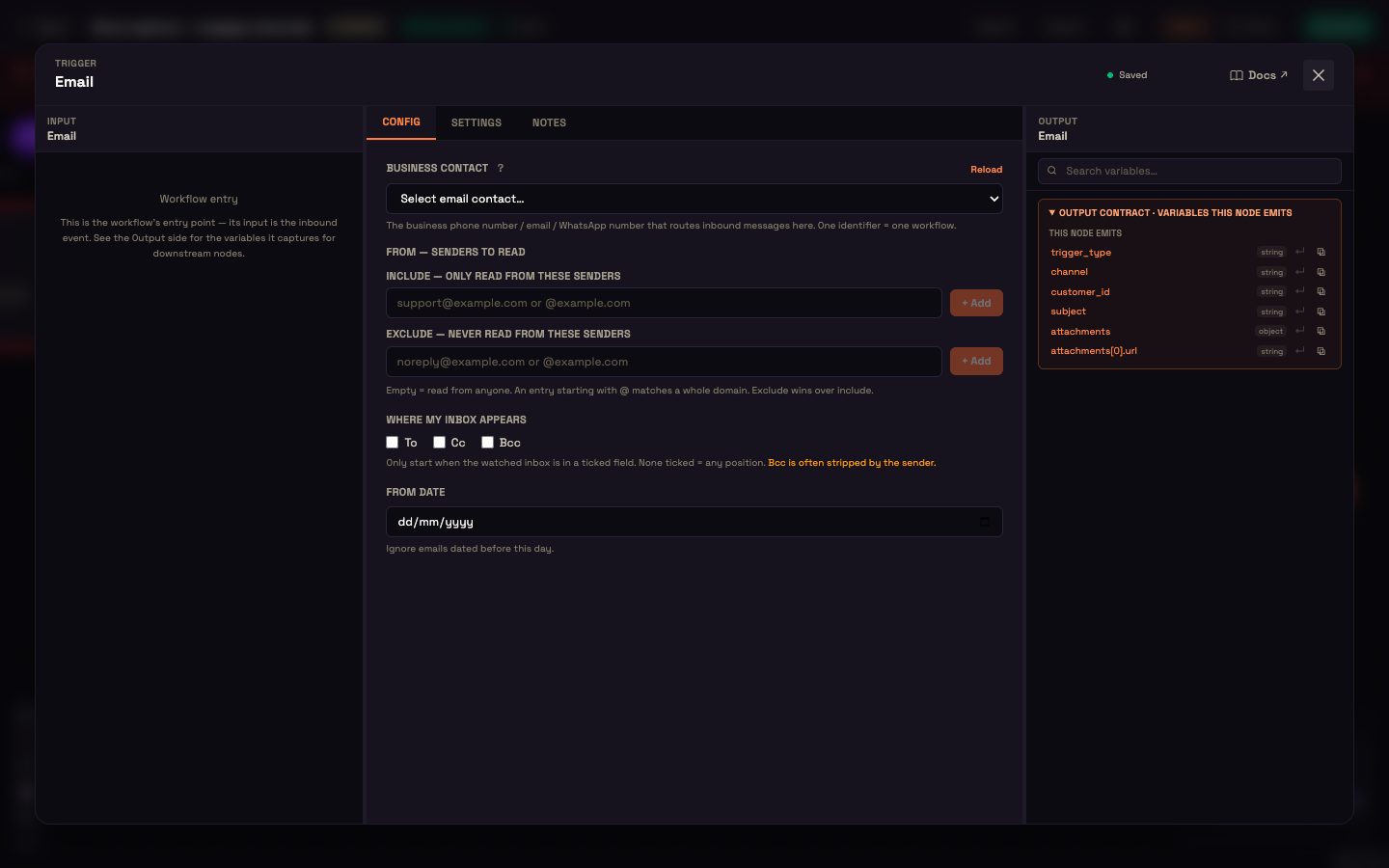
- Under Business contact, pick the address the agent should answer. The list shows the addresses from your email connections. Each address belongs to one agent, and an address another agent already uses is shown greyed out as "— used in …".
- If you need to, narrow which emails start the agent:
- From — senders to read: Include only these senders, or Exclude these. An entry starting with
@matches a whole domain, and exclude wins over include. - Where my inbox appears: start only when your address is in To, Cc or Bcc. If none is ticked, any position counts. Senders often strip Bcc.
- From date: ignore emails dated before a given day.
- From — senders to read: Include only these senders, or Exclude these. An entry starting with
Let the agent reply
Email replies need an Email Sender
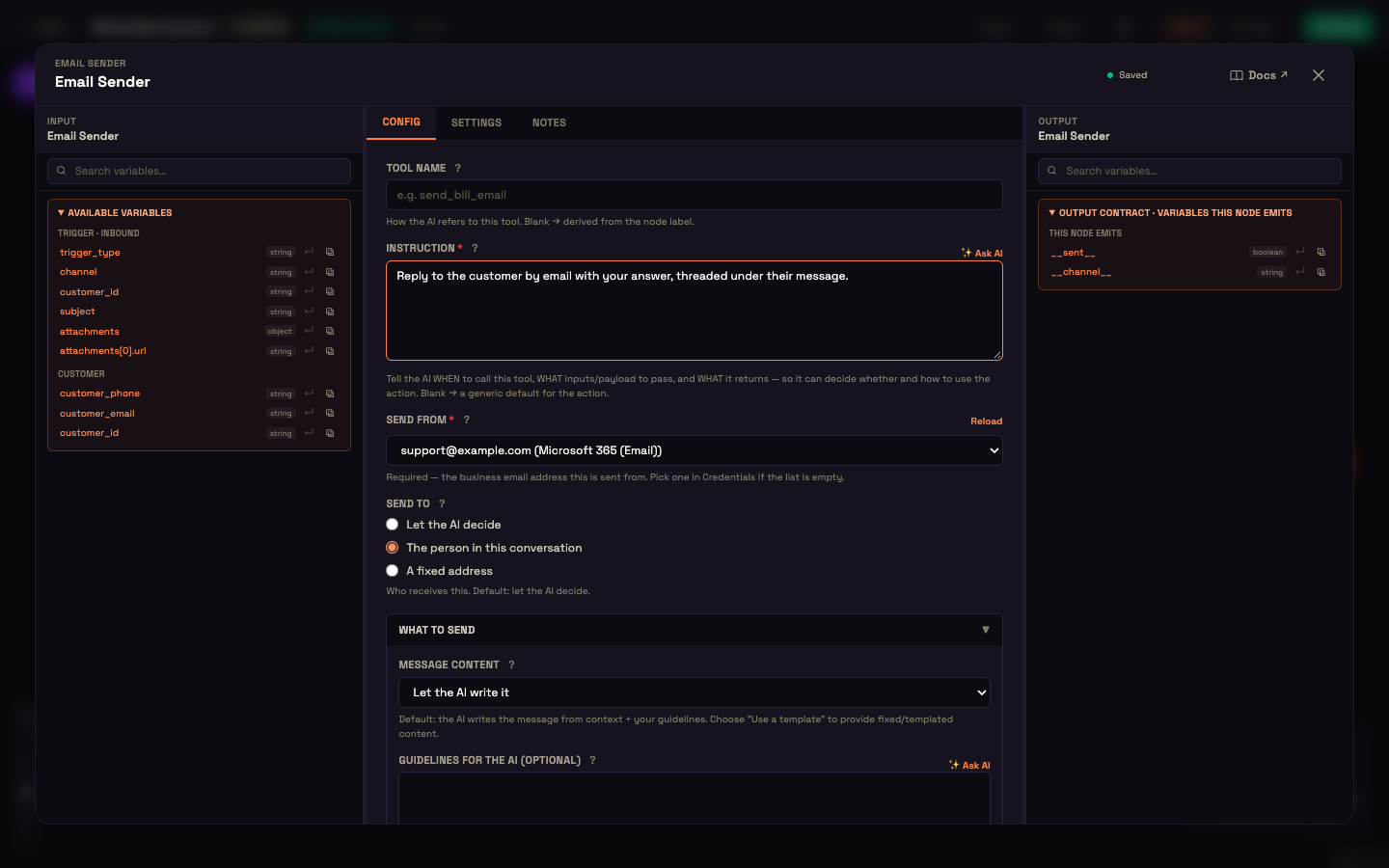
Connect an Email Sender action to the AI Agent's Action port. Without it, incoming email still starts your agent and its answer shows up in Conversations, but nothing is emailed back. See Channel Overview.
In the Email Sender, write an Instruction that tells the AI when to use it. Then pick Send from (the address the reply comes from; you can't publish without it) and Send to. For a reply, Send to is usually The person in this conversation. Leave Message content on Let the AI write it, or choose Use a template or fixed text. You can also Attach a file the AI generated earlier.
See it work: one email in, one reply out
Setup. Your email provider is connected, and an agent with an Email trigger on support@example.com and an Email Sender is activated.
Action. Priya writes in:
From: priya@example.comSubject: Where's my order #4821?
Hi, I ordered last Tuesday and haven't seen a shipping update. Can you check?
Result. A few seconds later, Priya gets a reply in the same thread, under her message:
Subject: Re: Where's my order #4821?
Hi Priya, order #4821 shipped yesterday and should arrive Thursday. Here's your tracking link: …
What just happened. Perfox read Priya's address from the email's own From header, carried the subject through separately (so no stray "Subject:" line ends up in the reply body), and referenced her original message, so her email client nests the reply like a normal Reply.
How messages are handled
- One inbound path for every provider. However mail arrives, Perfox checks whether it's a duplicate, works out which customer sent it, finds the agent whose Email trigger owns that address, and runs it. If no activated agent owns the address, nothing replies.
- No double replies. Perfox remembers each message's id for 30 days, so a message a mail system delivers twice, or re-sends while forwarding, never gets two answers.
- The true sender. Perfox reads the sender from the original From header, not the delivery envelope. A forward that rewrites the envelope (as Office 365 does) doesn't create a new customer.
- Attachments. Perfox reads emailed PDFs, images and audio before the agent answers.
Who the sender is
Perfox matches an email to an existing customer by the sender's address. If your own systems already know the customer (through an external ID from your website or a lookup tool), that ID takes priority. You choose how Perfox groups one customer's history across channels under Settings → Cross-Channel Customer Identity. See Customer Identity.
Where to go next
- Email Providers: connect each of the nine providers.
- Sender Nodes: the Email Sender and its fields.
- Trigger Nodes: every trigger type.
- AWS SES Setup: the SES domain walkthrough.