4 · Supervisor listens, whispers and takes over
Priority P1 · Core — What a contact-center manager needs: hear a call, coach the operator, and step in.
People: You (customer), Priya (operator), Arjun and Kavya (supervisors)
How to configure
- In Build → Agents, create a new agent named Support · supervised.
- Add a Web Chat trigger connected to the AI Agent node. Under Capabilities, tick Enable voice chat.
- On the Persona node: name Asha, role Customer support assistant, language English, and this system prompt: "You are Asha, a support assistant for Acme Scooters. Answer short questions about scooters, service and billing in one or two sentences. When the customer asks for a person, hand off."
- On the Operator node → Team, add Priya as a web operator (Studio user), Chats at once 3, Wrap-up 30 s.
- Routing: Who answers a new phone call? = The AI; turn When the AI hands off on, with Hand off when = "the customer asks for a person, a human, or an agent"; tick Web operators with One at a time — longest idle first; Ring each person for 20 s; wait in queue up to 60 s; If nobody answers = The AI keeps helping; the team calls back; When the person leaves the call = Back to the AI; tick Flag the conversation and notify the team on every hand-off.
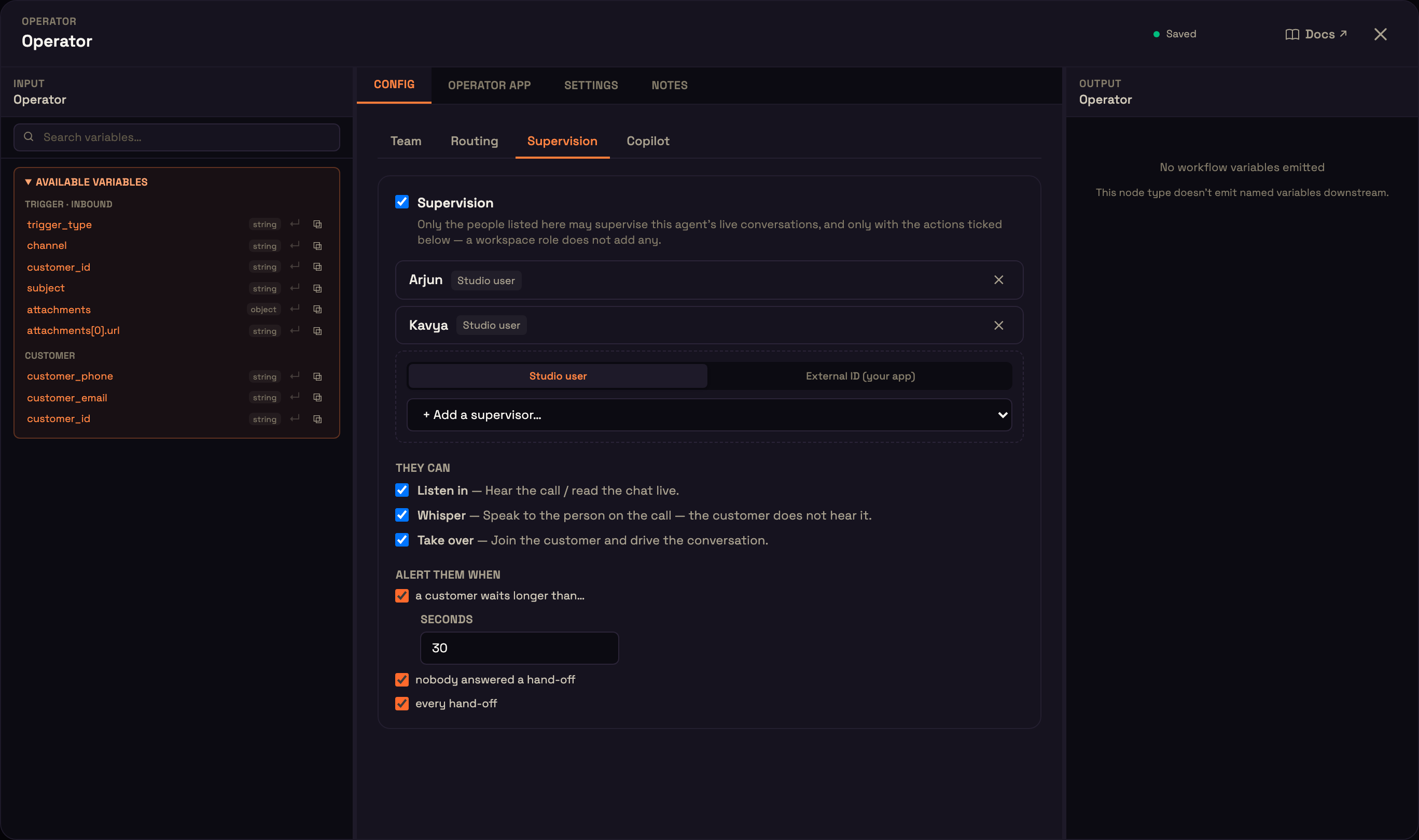
- Supervision: turn it on, add Arjun and Kavya, tick Listen in, Whisper and Take over, and tick all three alerts (a customer waits longer than 30 s, nobody answered a hand-off, every hand-off). Copilot on its defaults, then Publish.
Each person signs in on their own computer with headphones, so audio doesn't loop between people in one room.
What we do
| Who | Step |
|---|---|
| Operator | Priya clicks Go online. Arjun and Kavya open Monitor → Live board. |
| Customer | You open the agent's Web Chat node → Live preview, click New chat, start a voice call and say "I'd like to speak to a person." |
| Operator | Priya clicks Answer and talks briefly. |
| Supervisor | Arjun clicks Monitor, then Whisper and says "Offer them a 10% discount", then Take over. |
| Supervisor | Arjun clicks Leave the call. |
| Supervisor | Kavya clicks Monitor on the same call. |
What you should see
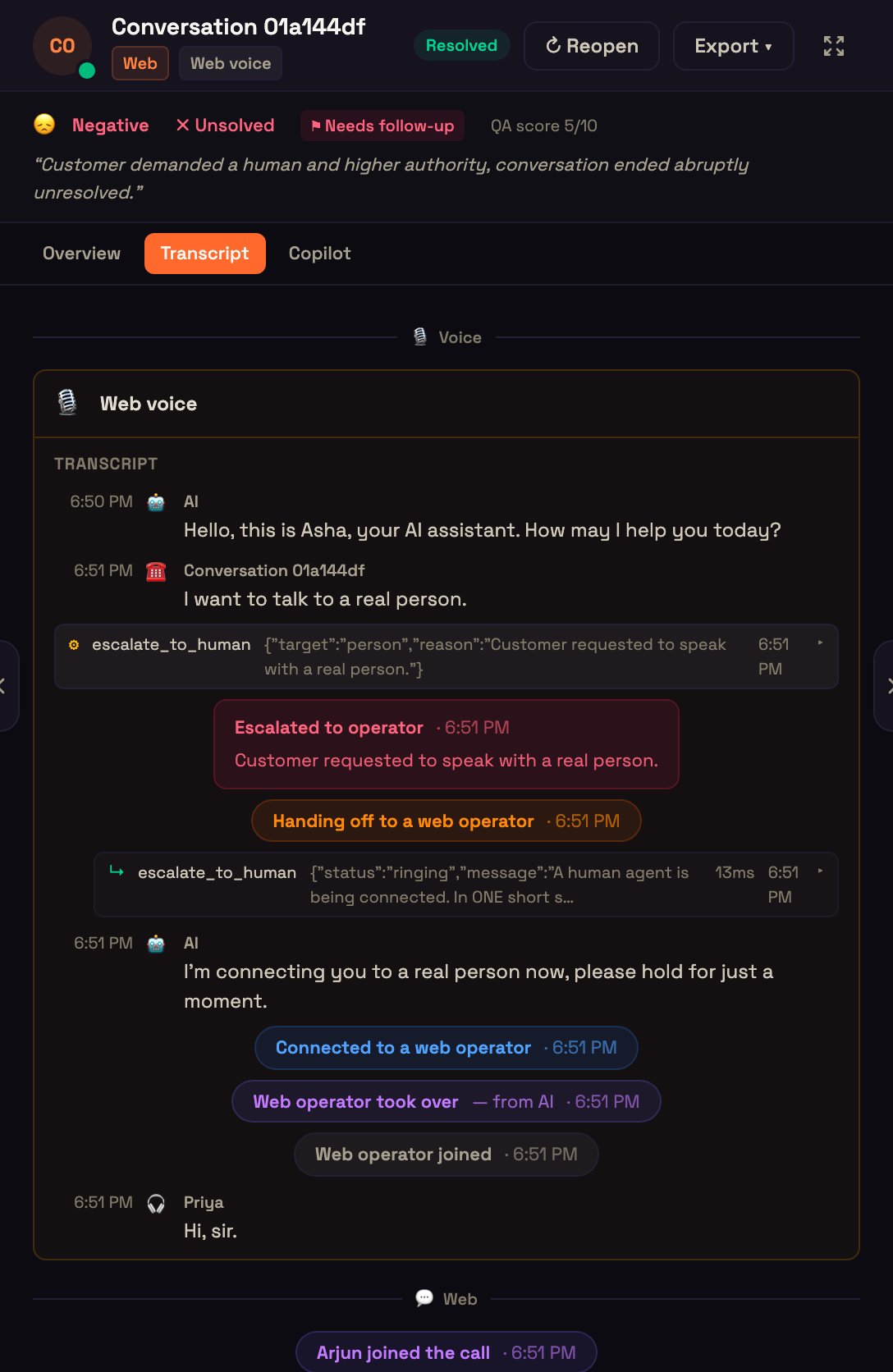
- Both supervisors get the hand-off alert, and the call appears on the Live board.
- The whisper is heard only by Priya, never by you.
- After Take over you hear Arjun and no longer hear Priya; Priya's console says "A supervisor took over this call — you are listening".
- After Leave the call the agent's "when the person leaves" setting applies — here, back to the AI.
- Kavya hears the call. Supervisors listed on one agent share the same permissions.
← Chat take-over and hand back · Hand-off to a phone operator on their mobile → · All use cases